
Overview
External content only loads after explicit user consent, preventing tracking before interaction.
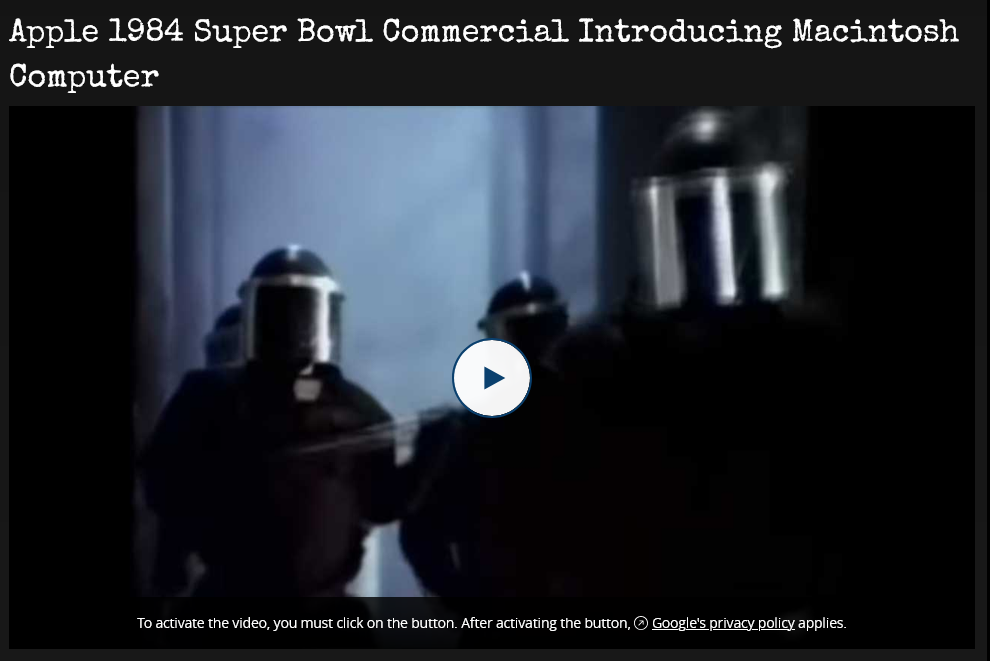
Backend copy for each provider is edited under List → Privacy Layer Settings (YouTube / Vimeo / SoundCloud tabs):

Supported Services
| Service | Type | Post-consent player | Domain | Features |
|---|---|---|---|---|
| YouTube | Video | VidPly player around the YouTube embed (default); YouTube IFrame embed with embedChrome: provider | youtube-nocookie.com | Privacy-enhanced, VidPly captions and transcript |
| Vimeo | Video | VidPly player around the Vimeo embed (default); Vimeo Player embed with embedChrome: provider | player.vimeo.com | VidPly captions and transcript |
| SoundCloud | Audio / Sets | SoundCloud Widget iframe (the same URL the bundled SoundCloudRenderer in vidply would use) | w.soundcloud.com | Visual waveform |
About the SoundCloud renderer
The bundled VidPly player ships a dedicated
SoundCloudRenderer(src/renderers/SoundCloudRenderer.ts) that wraps the SoundCloud Widget API into VidPly's unified play / pause / seek / volume controls. Inmpc-vidplySoundCloud is normally rendered through the privacy layer, which loads the SoundCloud Widget iframe directly after consent — the Widget brings its own UI. If you embedvidplystandalone (or override thePrivacyLayer.htmlpartial) you can opt into the renderer-based path to get fully unified VidPly controls around SoundCloud playback.
How It Works
Before Click
- Play button overlay with poster image
- Privacy notice with policy link
- Zero external requests
- No tracking scripts loaded
After Click
- YouTube / Vimeo (site setting
mpcVidply.embedChrome: vidply, default) — the VidPly player loads the provider's embed through its YouTube / Vimeo renderer and keeps its own control bar on top: play / pause, seek, volume, fullscreen, keyboard shortcuts, plus the sidecar captions, chapters and transcript from the media record's Captions tab. This applies to single items and to playlist tracks alike. - YouTube / Vimeo with
mpcVidply.embedChrome: provider— the privacy layer is replaced with the provider's own iframe (privacy-enhanced YouTube IFrame embed / Vimeo Player embed); VidPly captions and transcript are not available. - SoundCloud — always the SoundCloud Widget iframe (visual waveform mode), independent of
embedChrome. - Auto-play where the browser allows it (iOS gets a ready-to-play embed instead)
- Service's privacy policy applies from this point on
- For SoundCloud, the Widget iframe is the same URL VidPly's standalone
SoundCloudRendereruses internally — so the user-visible result is identical, the only difference is who mounts it (privacy layer vs. VidPly renderer).
See SettingsArchitecture → Controls for YouTube and Vimeo for the setting.
User Experience
Default text (YouTube/Vimeo):
"To activate the video, you must click on the button. After activating the button, Google's privacy policy applies."
Default text (SoundCloud):
"To activate the widget, you must click on the button. After activating the button, SoundCloud's privacy policy applies."
For content editors: After consent, YouTube and Vimeo play inside the VidPly player with its control bar, captions and transcript — unless an integrator has set Controls for YouTube and Vimeo to
provider, in which case the provider's own player is shown. SoundCloud loads the Widget iframe (waveform UI), not VidPly's unified control bar — unless your site uses the advanced renderer override documented below.
Customizable - All privacy texts, links, headlines, and button labels can be configured in the backend.
Multilingual support - Privacy settings can be translated per language.
German translations included - Automatically switches based on TYPO3 site language.
Setup in Backend
Configure Privacy Layer Settings
List Module → Privacy Layer Settings
Create a record to customize privacy layer content for YouTube, Vimeo, and SoundCloud:
| Field | Description | Required |
|---|---|---|
| Headline | Optional headline displayed above privacy text | No |
| Intro Text | Text before privacy policy link | Yes (fallback to default) |
| Outro Text | Text after privacy policy link | Yes (fallback to default) |
| Policy Link | URL to privacy policy page | Yes (fallback to default) |
| Link Text | Text for the privacy policy link | Yes (fallback to default) |
| Button Label | Accessible label for play button | No (fallback to default) |
Settings support multilingual content via TYPO3's translation system. Empty fields automatically fall back to default translations.
Create Media Records
YouTube/Vimeo:
- Create VidPly media record
- Select YouTube or Vimeo media type
- Add video URL or use TYPO3 online media helper
- Add poster image (recommended)
- Save
SoundCloud:
- Create VidPly media record
- Select SoundCloud media type
- Paste track or set URL:
- Add poster image (recommended)
- Save
Technical Implementation
Files
Partials/VidPly/PrivacyLayer.html- Consent layer templateJavaScript/PrivacyLayer.js- Lazy iframe loading (YouTube / Vimeo / SoundCloud Widget)JavaScript/PlaylistInit.js- Playlist privacy layer handlingClasses/Service/PrivacySettingsService.php- Fetches privacy settings from databaseConfiguration/TCA/tx_mpcvidply_privacy_settings.php- Backend configurationResources/Public/Css/privacy-layer.css- Privacy layer styles- Language files with translations
- (Standalone vidply, optional)
vidply/src/renderers/SoundCloudRenderer.ts- Renderer-based SoundCloud playback wrapped in VidPly's UI
JavaScript
// Lazy iframe creation (only after click)
button.addEventListener('click', function() {
    const service = layer.getAttribute('data-vidply-privacy');
    const url = layer.getAttribute('data-vidply-url');

    // Create and insert iframe with autoplay
    layer.innerHTML = createIframe(service, url);
});
Template Logic
RenderDecisionResolver sets vidply.renderMode; Partials/VidPly/Player.html switches on it:
<f:switch expression="{vidply.renderMode}">
    <f:case value="privacy">
        <!-- Single SoundCloud item, or single YouTube/Vimeo with embedChrome: provider -->
        <f:render partial="VidPly/PrivacyLayer" arguments="{...}" />
    </f:case>
    <f:case value="mixedPlaylist">
        <!-- Single YouTube/Vimeo (embedChrome: vidply) and playlists with external tracks:
             VidPly player behind the playlist privacy overlay -->
        <f:render partial="VidPly/MixedPlaylistPlayer" arguments="{_all}" />
    </f:case>
    <!-- "audio" / "video": VidPly player for local media, including HLS/DASH sources -->
</f:switch>
Features
Privacy
- No external requests before consent
- No cookies until user interaction
- GDPR compliant
- Clear privacy notices
- Centralized backend configuration
UX
- Single click activation
- Auto-play (no double-click)
- Visual play button (VidPly style)
- 16:9 aspect ratio maintained
- Customizable headlines, texts, and links
Technical
- Lazy iframe creation
- Service-specific embed URLs
- Multilingual support (EN/DE + backend translations)
- Database-driven configuration
- Works for single items and playlists
- Minimal overhead (~5KB JS + CSS) on the privacy-layer-only path (SoundCloud, or YouTube/Vimeo with
embedChrome: provider)
iframe Configuration
The URLs below are the embeds the privacy layer mounts directly (SoundCloud, and YouTube / Vimeo with embedChrome: provider). With the default vidply mode the VidPly YouTube / Vimeo renderers build the embed themselves and hide the provider's own controls.
YouTube
www.youtube-nocookie.com/embed/{ID}
?autoplay=1&rel=0&modestbranding=1
- Privacy-enhanced domain
- No related video recommendations
- Clean branding
Vimeo
player.vimeo.com/video/{ID}
?autoplay=1&title=0&byline=0&portrait=0
- Clean UI (no metadata)
- Auto-play enabled
SoundCloud
w.soundcloud.com/player/
?url={URL}&auto_play=true&visual=true&hide_related=true
- Visual waveform (16:9)
- Clean UI
- Works with tracks and sets/playlists
- Same URL is used by VidPly's standalone
SoundCloudRenderer. Inmpc-vidplythe privacy layer mounts this iframe directly (the SoundCloud Widget brings its own play / pause / progress controls). In standalone vidply usage,SoundCloudRenderermounts the same iframe but additionally talks to it via the SoundCloud Widget API so VidPly's own controls (play / pause / seek / volume) drive playback.
Database Structure
Table: tx_mpcvidply_privacy_settings
Site-wide privacy layer configuration stored in database:
| Column | Type | Description |
|---|---|---|
youtube_headline | varchar(255) | Optional headline for YouTube |
youtube_intro_text | text | Intro text before link |
youtube_outro_text | text | Outro text after link |
youtube_policy_link | varchar(255) | Privacy policy URL |
youtube_link_text | varchar(255) | Link text |
youtube_button_label | varchar(255) | Button aria-label |
vimeo_* | (same fields) | Vimeo settings |
soundcloud_* | (same fields) | SoundCloud settings |
sys_language_uid | int | Language ID (0 = default) |
Translations
Default Language File Translations (Fallback)
English:
privacy.activate_intro- "To activate the video..."privacy.activate_intro_widget- "To activate the widget..."privacy.youtube.policy_link- "Google's privacy policy"privacy.vimeo.policy_link- "Vimeo's privacy policy"privacy.soundcloud.policy_link- "SoundCloud's privacy policy"
German:
privacy.activate_intro- "Um das Video zu aktivieren..."privacy.activate_intro_widget- "Um das Widget zu aktivieren..."privacy.youtube.policy_link- "die Datenschutzerklärung von Google"privacy.vimeo.policy_link- "die Datenschutzerklärung von Vimeo"privacy.soundcloud.policy_link- "die Datenschutzerklärung von SoundCloud"
Note: Backend database settings override language file translations.
Customization
Change Privacy Text via Backend
Recommended: Use Privacy Layer Settings in the backend (List Module → Privacy Layer Settings). This allows:
- Centralized management
- Multilingual support
- No code changes required
- Easy updates by editors
Change Privacy Text via Language Files
Edit language files for fallback defaults:
<trans-unit id="privacy.activate_intro">
    <source>Your custom text</source>
    <target>Ihr eigener Text</target>
</trans-unit>
Note: Backend settings take precedence over language file translations.
Custom Styling
Privacy layer styles are in Resources/Public/Css/privacy-layer.css. Override in your sitepackage:
.vidply-privacy-layer {
    /* Your styles */
}

.vidply-privacy-button:hover svg {
    transform: scale(1.15);
}

.vidply-privacy-text .h6 {
    /* Customize headline styling */
}
Add More Services
- Add service to TCA media types
- Add case in
PrivacyLayer.jscreateXyzIframe() - Add translations
- Update DataProcessor to handle new type
Switch SoundCloud to Renderer Mode (advanced)
If you want SoundCloud playback to be driven by VidPly's native controls instead of the SoundCloud Widget UI:
- Override
Partials/VidPly/PrivacyLayer.htmlso that, after consent for SoundCloud, the partial mounts an<audio data-vidply src="{soundcloudUrl}">element instead of a raw iframe. - Make sure the VidPly core bundle is loaded for SoundCloud media (in stock
mpc-vidplyit is not, because external services use the privacy-layer iframe path). You can do this by extendingVidPlyProcessorto set$needsVidPlay = truewhen SoundCloud is present. - The bundled
SoundCloudRenderer(auto-detected for any URL containingsoundcloud.com) will take over and route VidPly's play / pause / seek / volume / progress through the SoundCloud Widget API.
This is purely opt-in — the default mpc-vidply flow keeps the lightweight iframe path, which loads less JavaScript per page.
Testing
ddev typo3 cache:flush
- Create test media (YouTube, Vimeo, SoundCloud)
- Check no external requests on page load
- Click play button
- Verify the video plays — for YouTube / Vimeo with the VidPly control bar, and your WebVTT captions and transcript if the record has them
- Switch
mpcVidply.embedChrometoprovider, flush caches and verify the provider's own player appears instead - Test multilingual sites (EN/DE)
Performance
- Zero external requests until user interaction
- ~5KB JavaScript (PrivacyLayer.js)
- ~2KB CSS (privacy-layer.css, loaded conditionally)
- No VidPly initialization for single SoundCloud items and for single YouTube / Vimeo items with
embedChrome: provider; with the defaultvidplymode the VidPly core is loaded for YouTube / Vimeo (see AssetLoading) - Cached after first load
- Database queries cached by TYPO3